Rotarian Trish Greenwood started to lose her hearing at the age of 27 and struggled to find acceptance of her disability in the hearing world that she had always known. Determined to adapt, she wore hearing aids and learned BSL.
When she became profoundly deaf, she had a cochlear implant, but to her surprise, she discovered she was not accepted in a Deaf world either. So where does she belong? Watch here to discover more.
When it comes to hearing loss, technology has become an amazing ally. There’s so much inexpensive tech out there that can work alongside hearing aids or even help people who don’t have them yet. Let’s look at how technology is making life easier for people with hearing loss and why it’s worth checking out.
Making Hearing Aids Even Better
Photo by Sara Kurfeß on Unsplash
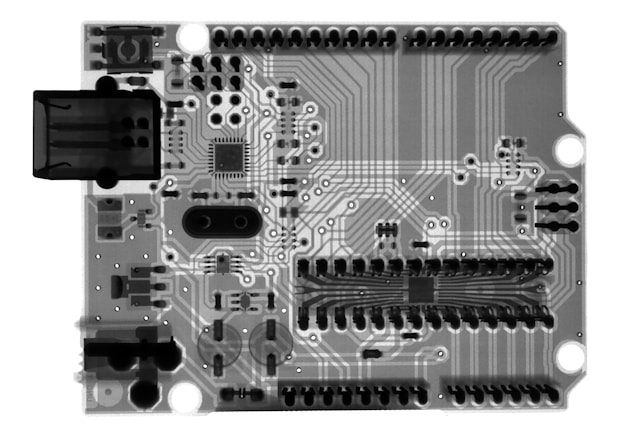
Hearing aids are brilliant, but pairing them with modern tech can take them to the next level. Here’s how it works:
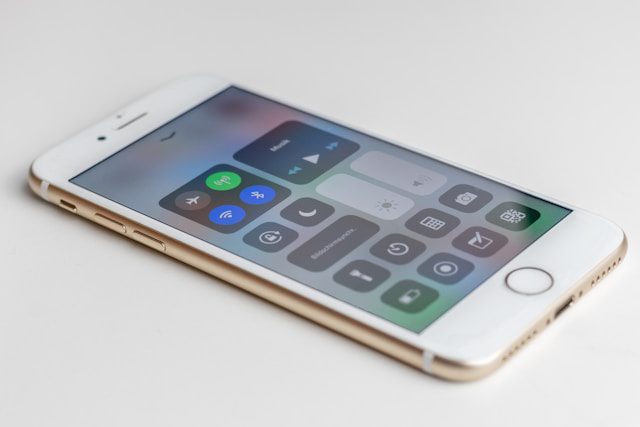
Bluetooth Connectivity: Lots of hearing aids now come with Bluetooth, so you can connect them to your phone, laptop, or tablet. This means you can stream calls, Zoom meetings, or even your favourite playlist straight to your hearing aids.
Real-Time Captions: Apps like Google Live Transcribe or Otter.ai can turn spoken words into captions instantly. Zoom and MS TEAMS also offer live captions for online meetings. Live captions are great for meetings, chats, or anywhere you might miss a word or two.
Remote Adjustments: Some hearing aids come with apps that let you tweak the settings yourself or have an audiologist help you out remotely. No need for endless trips to the clinic!
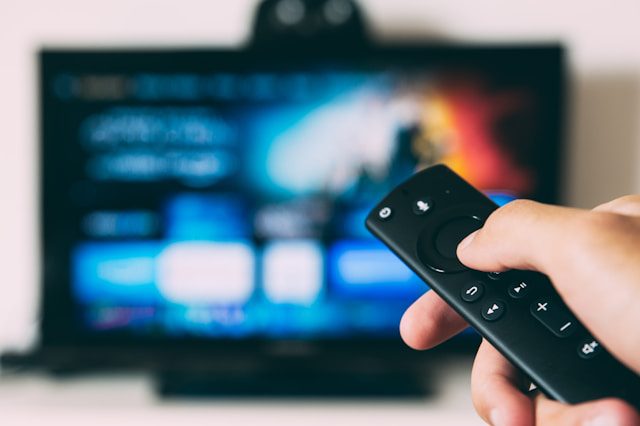
Extra Gadgets: Things like TV streamers or clip-on microphones can connect to your hearing aids and give you clearer sound, whether you’re watching a show or sitting in a noisy meeting.
Photo by Glenn Carstens-Peters on Unsplash
Tech for People Without Hearing Aids
If you’re not using hearing aids yet, don’t worry—there’s still plenty of tech to make life easier. Here are a few examples:
Speech-to-Text Apps: Apps like Microsoft Translator, Ava, and Live Transcribe can turn conversations into text right in front of you. Super handy in noisy places or if you’re struggling to keep up.
Noise-Cancelling Headphones: A good pair of noise-cancelling headphones can help you focus on what you want to hear by cutting out background noise.
Photo by Daniel Romero on Unsplash
Captions for Media: Streaming platforms like Netflix and YouTube offer free captions, so you don’t miss a thing when you’re watching your favorite shows or learning something new.
Hearing Check Apps: Apps like Mimi Hearing Test or Starkey Hear Share let you check your hearing at home. It’s a great first step if you think you might have some hearing loss.
Why Bother with These Tools?
1. Better Sound Quality & Clarity – Modern hearing aids and assistive devices provide clearer, more natural sound than ever before. Features like background noise reduction, directional microphones, and AI-driven sound processing help enhance speech clarity, making conversations easier and more enjoyable.
2. More Connectivity & Convenience – New devices seamlessly connect to smartphones, televisions, and computers via Bluetooth, allowing users to stream phone calls, music, and videos directly to their ears. This reduces the struggle of trying to hear through speakers or in noisy environments.
3. More Affordable & Accessible Options – Hearing technology is becoming more affordable, with over-the-counter hearing aids available in some countries (but not UK). Additionally, free or inexpensive smartphone apps offer features like speech-to-text and real-time sound amplification, making hearing support more accessible.
4. Improved Social Inclusion – Difficulty hearing can lead to isolation, as conversations in noisy environments become exhausting. By using new technologies, such as Bluetooth directional microphones that connect directly into your hearing aids, people with hearing loss can engage more comfortably in social and workplace settings, improving confidence and overall well-being.
5. Customizable & User-Friendly Features – Many hearing devices now come with smartphone apps that allow users to personalise their hearing preferences, adjust settings, and track their hearing health over time. This level of customisation makes assistive technology more adaptable to individual needs.
7. Expanding Beyond Hearing Aids – Hearing support is no longer limited to traditional hearing aids. Devices such as personal amplifiers, vibrating alarm clocks, and smart home integrations (like flashing doorbells) provide additional support in everyday life.
Getting Started
There’s so much tech out there, but you don’t need to try it all at once. Start small and see what works for you:
Try Free Apps: Download a speech-to-text app or take an online hearing test to see how it helps.
Use What You Have: Check your phone or tablet for built-in accessibility features such as live captions or sound boosters.
Experiment with Accessories: Bluetooth headphones, clip-on mics, or other gadgets can be great additions to your routine. Remember though, as everyone’s hearing is different, it’s always worth asking if you can “try before you buy” or get a full refund if the device doesn’t work for you.
The Future of Hearing Tech
As technology keeps improving, the options for affordable hearing support are only going to grow. Whether you’re using hearing aids or just starting to explore tools for hearing loss, there’s something out there to make life easier. The world of hearing technology is evolving rapidly, offering new and improved ways to enhance communication and accessibility.
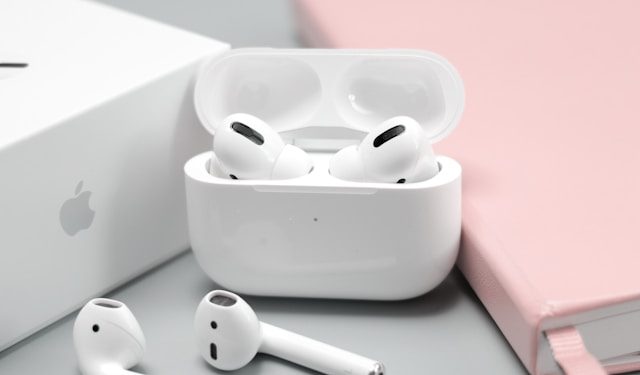
For example, Apple AirPods with hearing aid features are now available in the UK. As a charity, we don’t endorse any products but we would love to hear about your experiences. Click on the link below to see Christopher Null’s review of the new AirPods in WIRED magazine. Apple AirPods Review from WIRED
Tell us about what technology has made a difference to your daily life. Click here to contact us
When we think about hearing, we often focus on our ears—but did you know that good lighting is good for hearing too.
Hearing is not just about sound; it’s also about visual cues, body language, and lip reading. Good lighting can make a significant difference in helping people with hearing difficulties engage more effectively in conversations and social interactions.
AdobeStock_659950890.jpeg
1. The Role of Good Lighting and Visual Cues in Hearing
Communication is a combination of listening and visual processing. Facial expressions, lip movements, and gestures all provide essential context to what is being said. In dim or poor lighting, these cues become harder to read, making conversations more challenging for people with hearing loss. Good lighting ensures that these visual signals are clear and accessible.
Photo by Anton Malanin on Unsplash
2. Lip Reading and Facial Expressions
Many individuals with hearing loss rely on lip reading to supplement their understanding of speech. Without adequate lighting, reading lips and picking up on subtle facial expressions becomes nearly impossible. Shadows, backlighting, or flickering lights can obscure details, leading to misunderstandings and frustration.
Photo by Malik Earnest on Unsplash
3. Avoiding Eye Strain and Fatigue
Straining to see in poor lighting can be exhausting. We all have to work harder to interpret visual cues in bad lighting, but for people with hearing poor lighting, increases cognitive load and fatigue, making communication even more tiring. A well-lit environment reduces this strain, making conversations smoother and less draining.
4. Enhancing Group Conversations
Background noise can be a significant barrier for those with hearing loss. In social settings, where multiple conversations happen simultaneously, a well-lit environment helps us identify who is talking, making it easier to follow group discussions, and enabling us to focus on the person speaking.
Photo by Priscilla Du Preez on Unsplash
5. Choosing the Right Lighting for Better Communication
To create a hearing-friendly environment, consider the following lighting tips:
Avoid strong backlighting (such as sitting in front of a bright window) as it can create shadows on the face.
Use soft, even lighting to minimize glare and harsh contrasts.
Ensure faces are well-lit to make lip reading and facial expressions easy to see.
Consider adjustable lighting to adapt to different situations and needs.
6. My eyes are my ears
Lighting isn’t just about seeing better—it’s about hearing better, too. or as one of our followers put it so well, “my eyes are my ears” By ensuring our environments are well-lit, we can support clearer communication, reduce fatigue, and help people with hearing loss stay engaged in conversations. Small changes in lighting can make a big difference in making the world more accessible for everyone.
Are your spaces hearing-friendly?
Take a moment to check your lighting, and you might be surprised at the impact it has on communication!
Imagine struggling to understand what someone says, not because they’re far away but because background noise, poor lighting, or overlapping voices make communication difficult. Whether it’s your workplace, a community space, or an online meeting, here are seven simple tips that won’t break the budget but will make a world of difference to your meeting space and help to foster full participation.
Tip 1 – Background Noise
If you are in a big meeting or just chatting with a friend, turn off background noise such as music, the radio, the TV or even the tap when having a conversation. This might seem obvious, but it’s surprising how many people forget that background noise has an enormous impact on how well we hear. That’s why we have made it our number one tip.
Have you noticed that often people subconsciously put their glasses whilst listening intently to what you have to say. Why? Because they want to see your face clearly so they can pick up on your expressions and read the sounds that you make through your lips.
Photo by Etienne Girardet on Unsplash
Our second tip is that because everybody lipreads, good lighting makes for good listening. Look out for our next post which will be dedicated to lighting!
This goes for online meetings too. Always check that your camera is positioned so everyone can see your face clearly, and add a desk lamp for that extra illumination.
Photo by Compare Fibre on Unsplash
Tip 3 – get their attention before speaking
Often the most important part of a sentence is right at the beginning where you put everything into context so get their attention before speaking. How? Say their name or gently tap their arm.
Tip 4 – Talk one at a time
Nobody likes meetings where everyone talks over one another this is because it’s hard to know which conversation to listen to. In order to get the best from your meeting, encourage participants to talk one at a time. An added unexpected benefit is that if you follow this tip, your meetings will be more productive and quicker too!
Photo by Gabriella Clare Marino on Unsplash
Tip 5 – Avoid Shouting
Some people think that it’s a good idea to speak a little louder or more clearly. We would suggest that a calm, normal tone works best. Always avoid shouting, as it can come across as aggressive.
Tip 6 – Skip Exaggerated Gestures
You should also just talk normally and skip those exaggerated gestures, which can confuse rather than clarify.
Photo by engin akyurt on Unsplash
Tip 7 – Soft Furnishings
If you have ever hung curtains in an empty room, you will know that soft furnishings make a real difference. Rooms with high ceilings and hard surfaces can be difficult for everyone, so if you can, add soft furnishings like carpets, curtains or even a cushion or two. This will reduce echo and improve acoustics.
Photo by Alesia Kazantceva on Unsplash
Want to make your meetings more hearing-friendly?
Hearing Ambassadors offer expert talks to any organisation on simple, effective ways to improve hearing well-being for your entire team.
Click here today to contact us directly or select one of our talks and book an in-person or online session via Speakernet
We use cookies on our website to give you the most relevant experience by remembering your preferences and repeat visits. By clicking “Accept”, you consent to the use of ALL the cookies.
This website uses cookies to improve your experience while you navigate through the website. Out of these, the cookies that are categorized as necessary are stored on your browser as they are essential for the working of basic functionalities of the website. We also use third-party cookies that help us analyze and understand how you use this website. These cookies will be stored in your browser only with your consent. You also have the option to opt-out of these cookies. But opting out of some of these cookies may affect your browsing experience.
Necessary cookies are absolutely essential for the website to function properly. This category only includes cookies that ensures basic functionalities and security features of the website. These cookies do not store any personal information.
Any cookies that may not be particularly necessary for the website to function and is used specifically to collect user personal data via analytics, ads, other embedded contents are termed as non-necessary cookies. It is mandatory to procure user consent prior to running these cookies on your website.